Coming soon · Built for Fortnite

More FPS.
Less input lag.

TOLOTWEAKS tunes Windows for competitive gaming in one click. It has 100+ hand-picked tweaks, a PC scanner and a pro Fortnite config, and you can undo every change.

Download coming soon See what it does
Every tweak reversible Restore point first Never touches game files
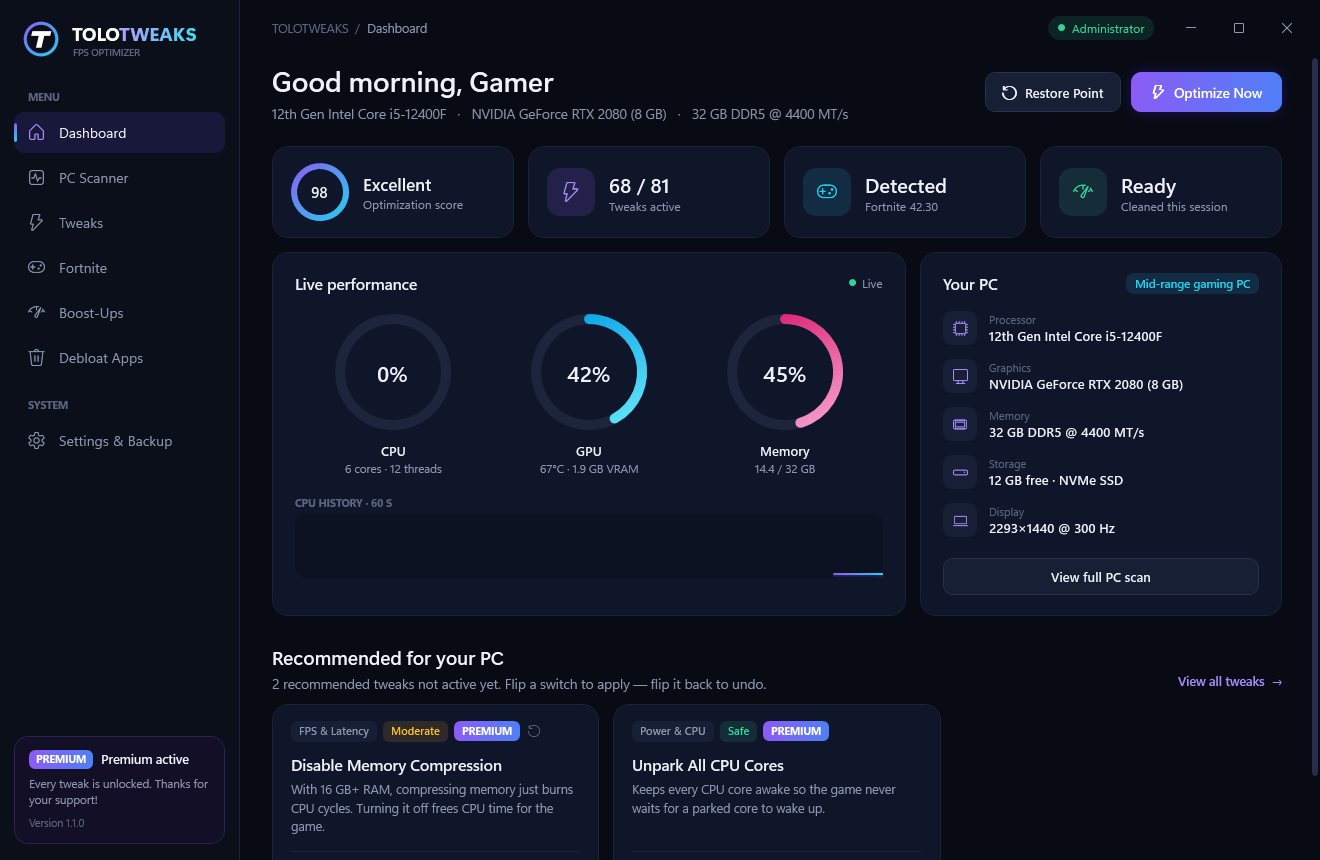
TOLOTWEAKS dashboard with live CPU, GPU and RAM usage
100+FPS & latency tweaks
1-clickOptimize Now
100%Reversible changes
0Game files modified
Features

Everything your PC needs to perform

Built for mid-range gaming PCs that should be running faster than they do.

PC Scanner

Detects your CPU, GPU, RAM speed, drives and monitor, then finds what's holding back your FPS, like XMP being off or a wrong refresh rate.

FPS & Latency Tweaks

GPU scheduling, game priority, timer and power-plan tuning, network and input tweaks. Each one is explained in plain English.

Fortnite Profile

Writes a competitive config in one click: Performance Mode or DX12, an FPS cap that matches your monitor, and NVIDIA Reflex.

Boost-Ups

One-click cleaners for temp files, shader cache and update leftovers. Free your standby RAM and TRIM your SSD before a session.

Windows Debloat

Remove preinstalled apps, ads, Copilot, widgets and telemetry that run in the background and steal resources.

Safe by Design

Every original setting is backed up. Flip a switch to undo any tweak, or revert everything with one click.

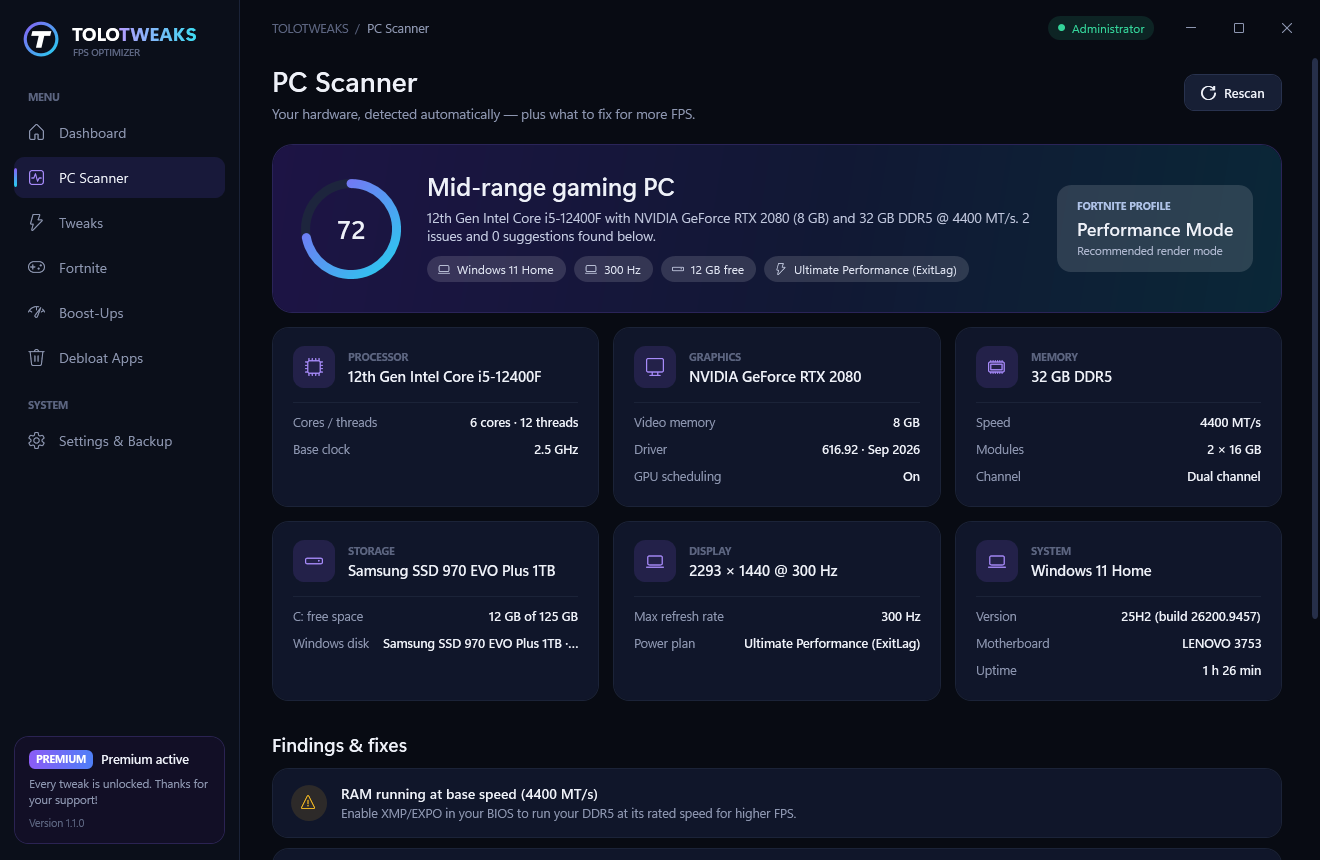
PC Scanner

Know exactly what's slowing you down

TOLOTWEAKS reads your hardware and Windows setup and gives you a clear list of fixes.

  • RAM speed and dual-channel check
  • Monitor refresh-rate check
  • GPU driver age, disk space, power plan
PC Scanner showing hardware specs and recommendations
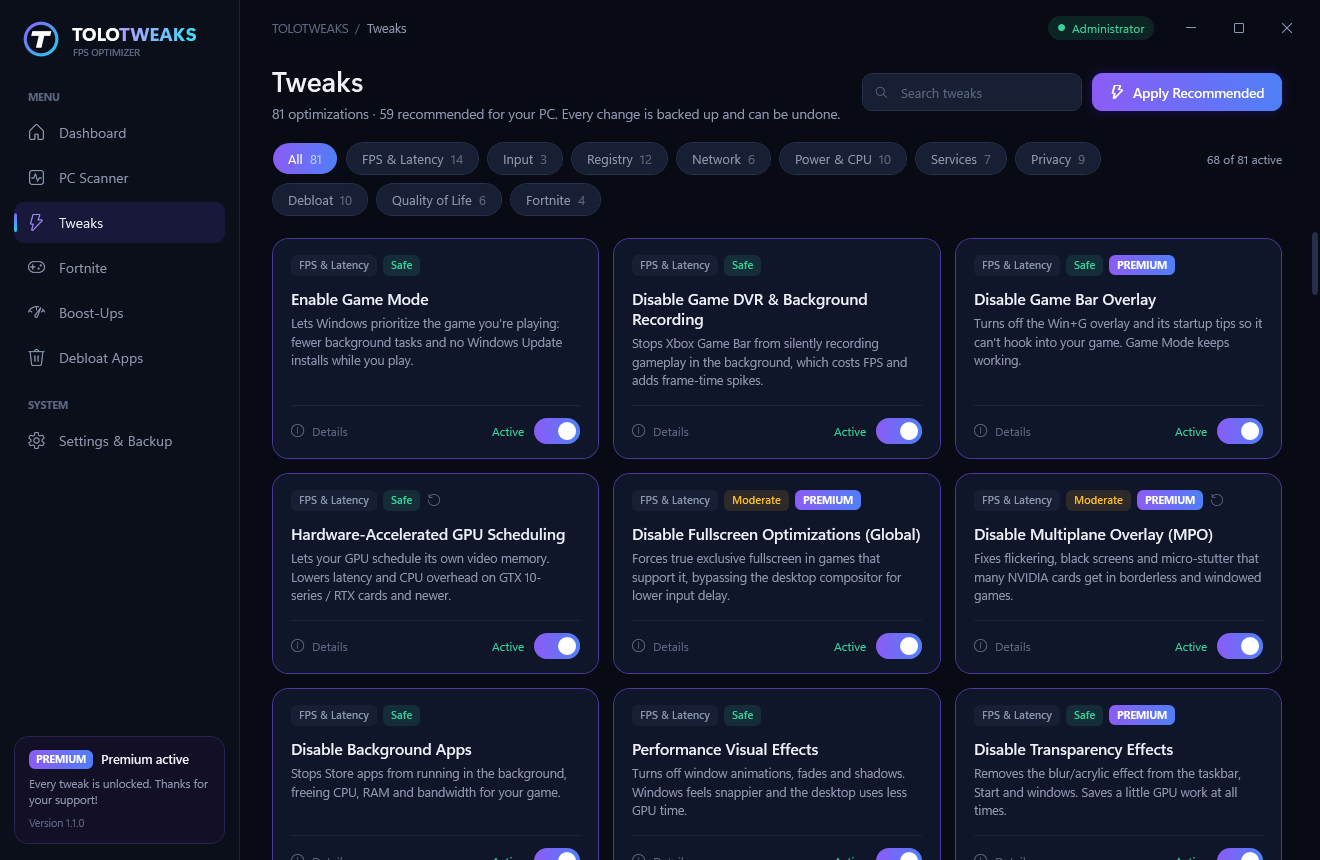
Tweaks

100+ tweaks. You stay in control.

Each tweak shows a Safe, Moderate or Advanced label and exactly which settings it changes. Apply the recommended set in one click, or go through them one by one.

  • FPS, latency, input, network and power
  • Registry, services, privacy and debloat
  • Undo any change instantly
Tweaks page with category filters and toggle switches
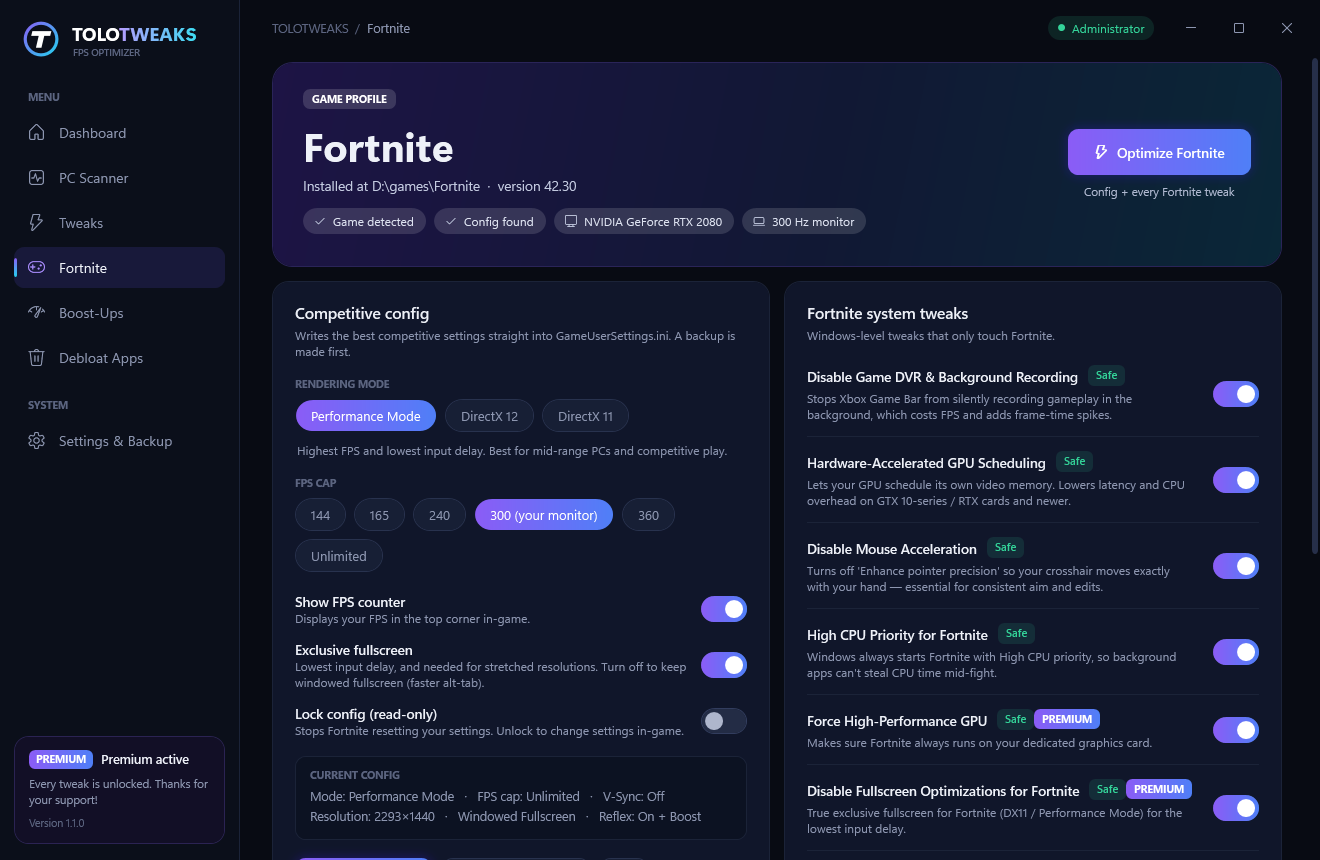
Fortnite

A pro config in one click

TOLOTWEAKS finds your Fortnite install and writes a competitive config. It backs up your current settings first, so you can restore them anytime.

  • Performance Mode, DirectX 12 or DirectX 11
  • FPS cap that matches your monitor
  • High CPU priority and the right GPU for Fortnite
  • NVIDIA Reflex On + Boost
Fortnite profile page with competitive config options
+50–100 FPS

Average gain in Fortnite after Optimize Now, plus noticeably lower input delay.

How much you gain depends on your PC specs and how optimized your PC already is.
Beta tester result 300 → 390 FPS "It feels way smoother."
Pricing

Start free. Go Premium when you're ready.

Cancel anytime. Upgrade or downgrade whenever you want.

Free

$0
Forever
  • PC Scanner & live monitor
  • 10 essential FPS tweaks
  • 4 Boost-Ups
  • Fortnite competitive config
  • Advanced & registry tweaks
  • Windows debloat
Coming soon
Best value · Save 33%

Premium Yearly

$39.99/ year
Just $3.33 a month
  • All 100+ tweaks unlocked
  • One-click Fortnite config
  • All 11 Boost-Ups
  • Windows app debloat
  • Every future update
  • Priority support
Coming soon

Premium Monthly

$4.99/ month
Cancel anytime
  • All 100+ tweaks unlocked
  • One-click Fortnite config
  • All 11 Boost-Ups
  • Windows app debloat
  • Every future update
  • Priority support
Coming soon

Secure checkout by Paddle: cards and PayPal. We never see or store your card details.

FAQ

Questions

Is TOLOTWEAKS safe to use?

Yes. TOLOTWEAKS only changes Windows settings, and it backs up every original value before changing it. It can also create a System Restore point first. Any tweak can be undone with its switch, and Settings → "Revert all tweaks" puts everything back.

Can I get banned in Fortnite for using it?

TOLOTWEAKS never touches game files, game memory or anti-cheat. It changes Windows settings and the same config file Fortnite's own settings menu writes. It works like changing settings by hand, only faster.

How much FPS will I gain?

It depends on your PC specs. On average, players gain 50–100 FPS in Fortnite plus lower input delay, and PCs that were never tuned usually gain the most. The PC Scanner also points out hardware settings like XMP and refresh rate, which can add even more.

Which Windows versions are supported?

Windows 10 and Windows 11, 64-bit.

How does the subscription work?

Premium is $4.99/month or $39.99/year. After you pay, you get a license key by email. Paste it into the app and everything unlocks. You can cancel anytime from the link in your receipt. Premium stays active until the end of the period you paid for.

Do you see my card details?

No. Payments are handled by Paddle, a secure payment provider used by thousands of software companies. We never see or store your card number.

Launching soon

TOLOTWEAKS is in final testing. Downloads and Premium open here very soon.

Coming soon